


Bidding Pairing ID Conflicts:
Be careful when bidding a Pairing ID on a specific date using Batch Bid.
If you bid a Pairing ID that conflicts with any pre-plotted activity, training, fly-through, or any other item already on your schedule that would prevent you from being awarded that pairing, it may cause your Batch Bid to error out. Batch Bid expects you to bid only on pairings that fit within your schedule and do not conflict with any existing obligations.
PBS Limits:
PBS has a hard limit of 256 total bid entries, so attempting to submit more than that will cause problems when using Batch Bid. More importantly, bidding a large number of specific pairings is usually not the most effective way to use either PBS or the Batch Bid feature. The goal is not to bid every pairing specifically. The goal is to bid the best pairings specifically. Our Sharp Shooting methodology is built around this idea and you can learn more about that here: Sharpshooting Method
Watch a quick overview of Batch Bid in action:
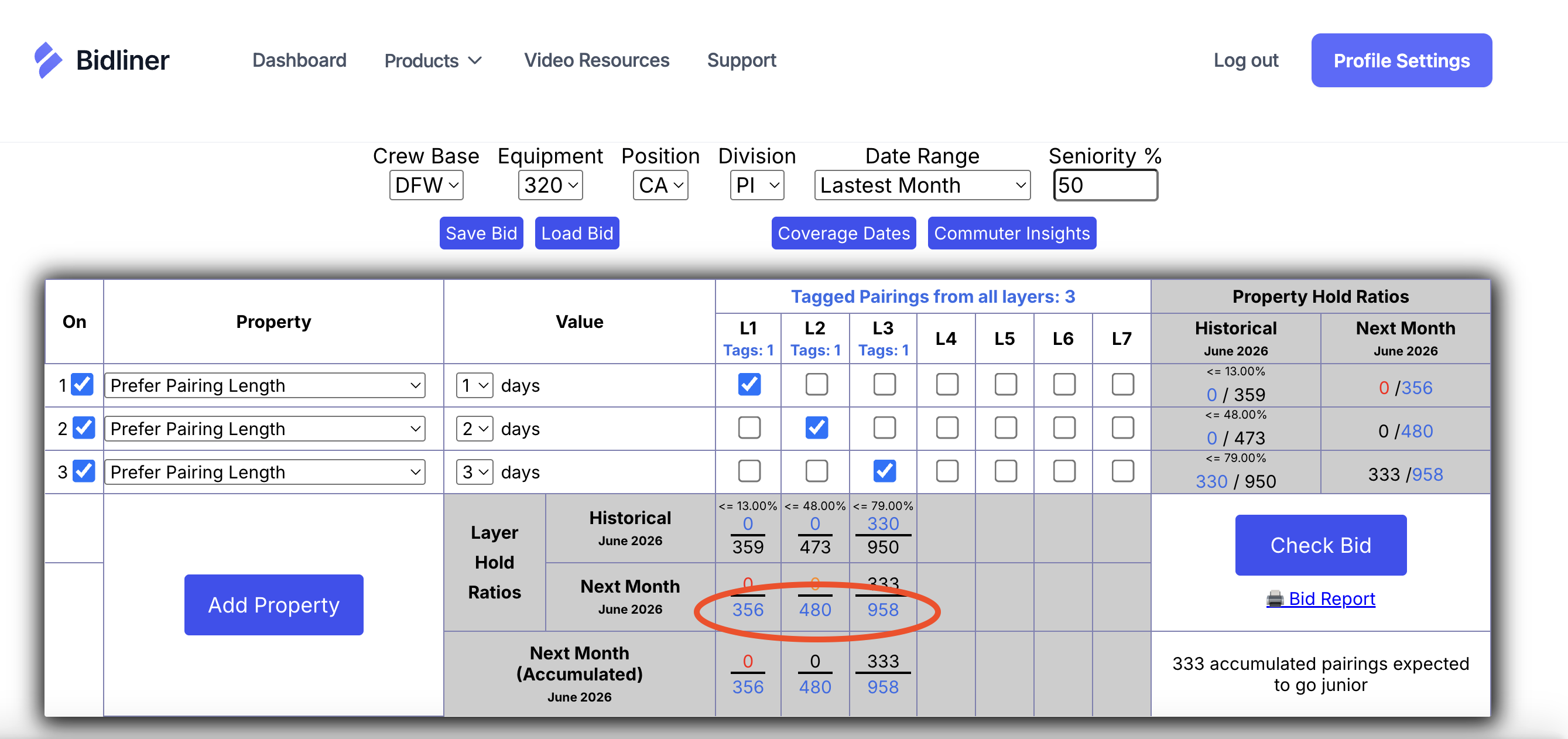
In BidGrid, input your test bid and click the blue numbers in the "Next Month" column to view all pairings that meet your specifications.
Use our advanced filters and sorting to find the best of what you can hold.
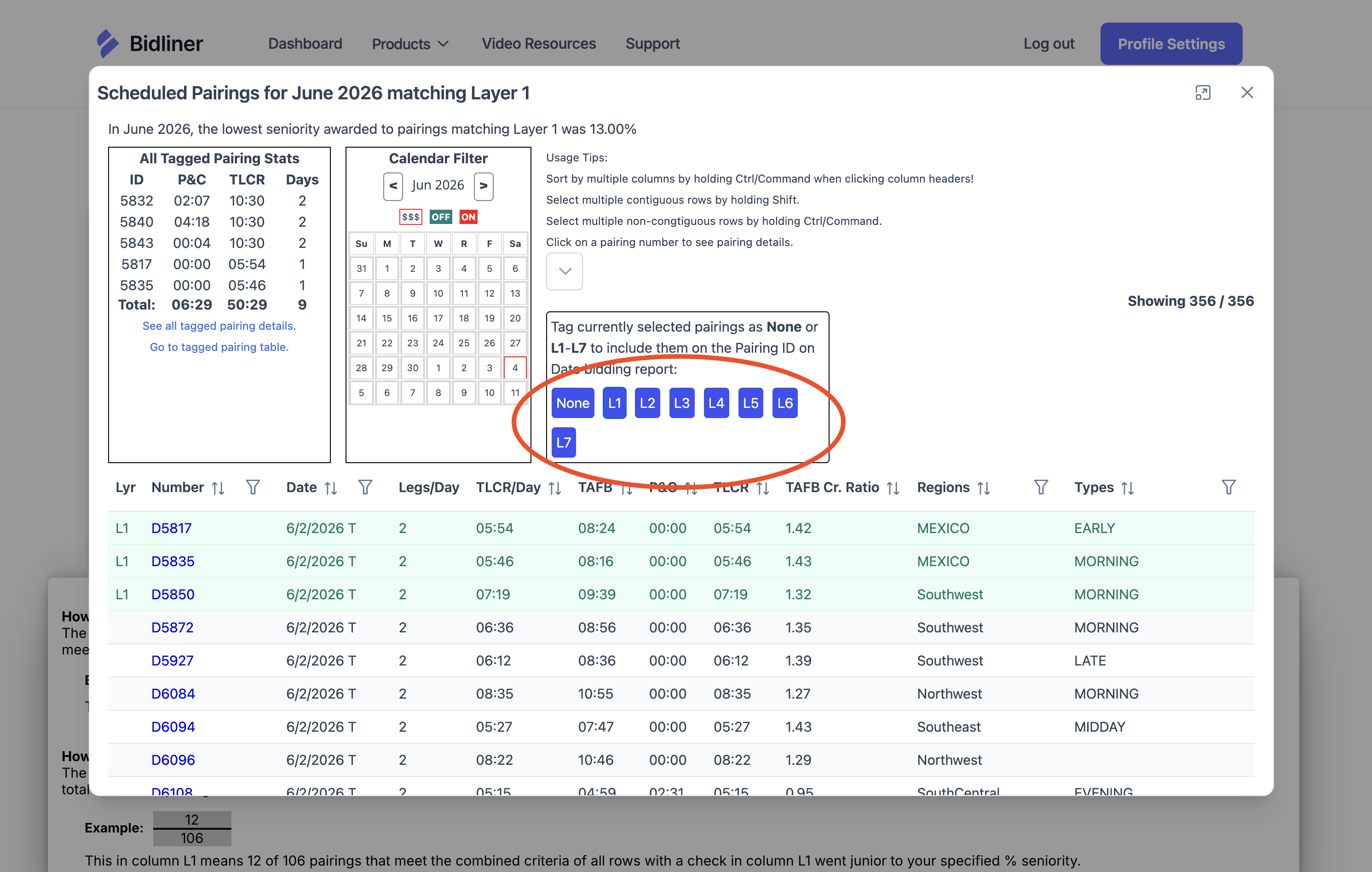
Select your favorite pairings and click the layer (the blue L1 - L7 buttons) you are wanting to have them added to.
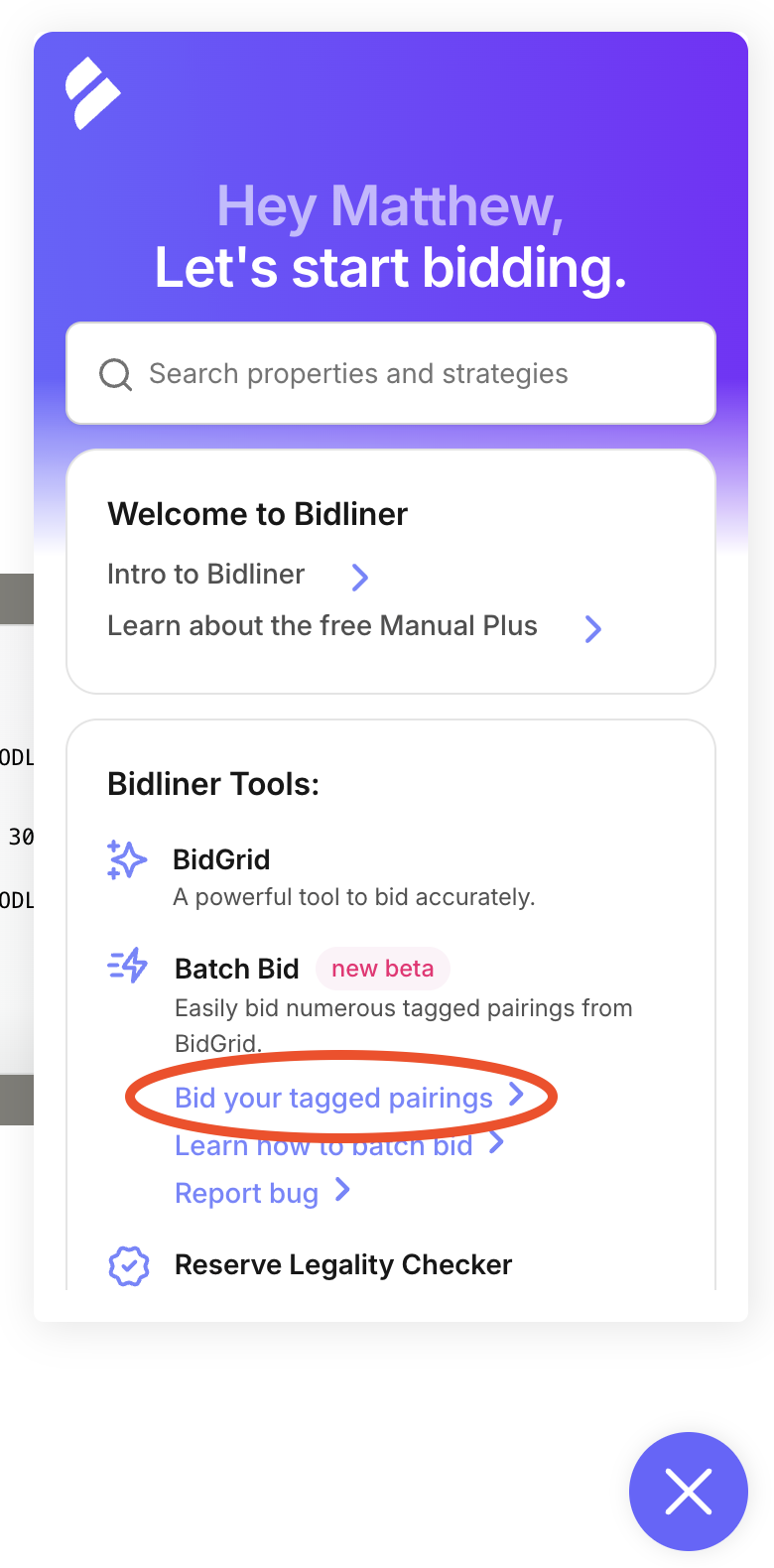
In your PBS window, open your Manual Plus Chrome Extension and click "Bid your tagged pairings."
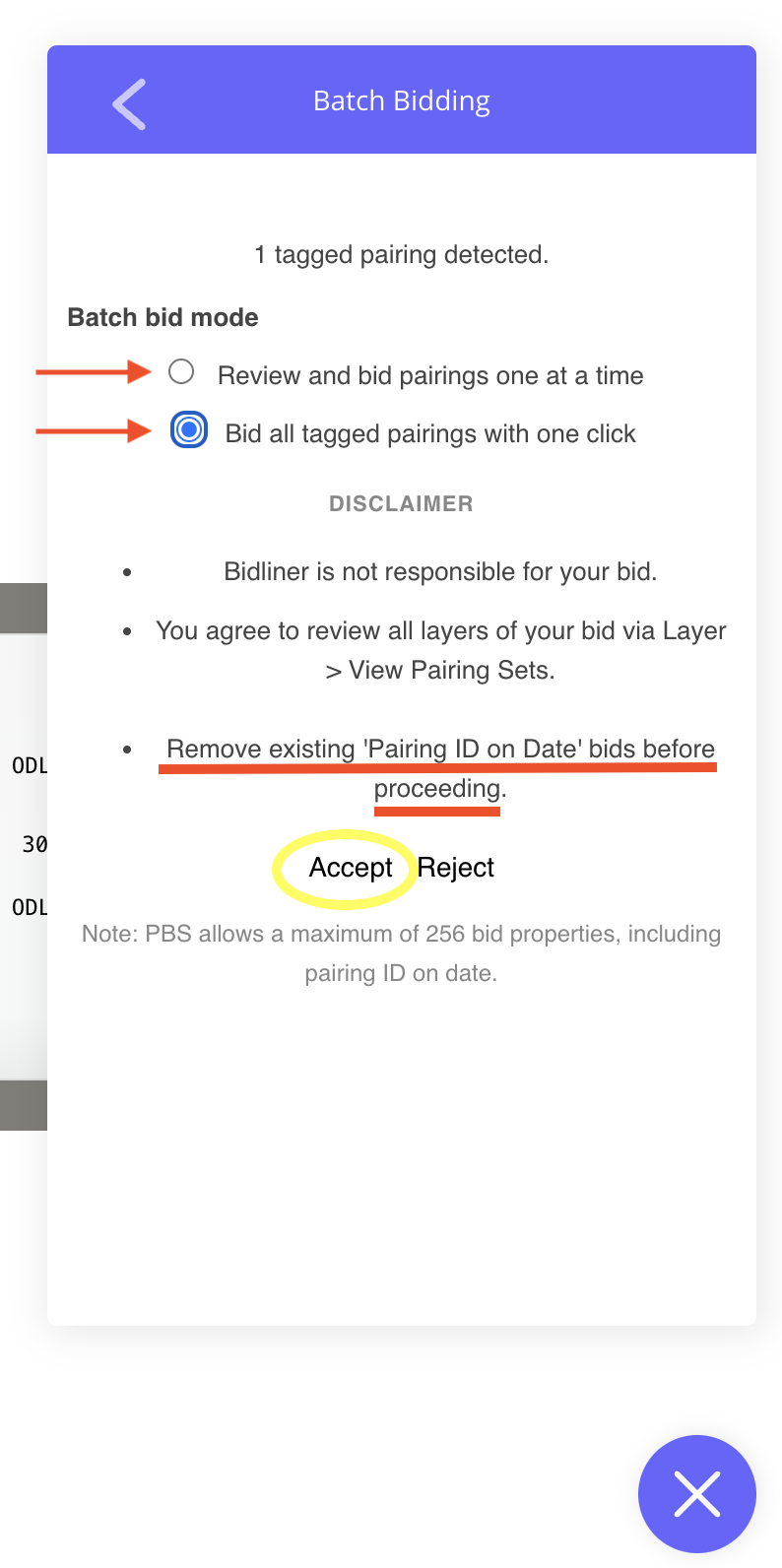
Select between the options of reviewing each individual pairing and bidding each one at a time OR bidding all tagged pairings with at once with a single click.
Important: It is important that you remove any existing "Pairing ID on Date" bids before using this tool. To put it simply, it's best to only have one cook in the kitchen with batch bidding.
Click "Accept" to acknowledge that you've read and agree to all disclaimers and information.
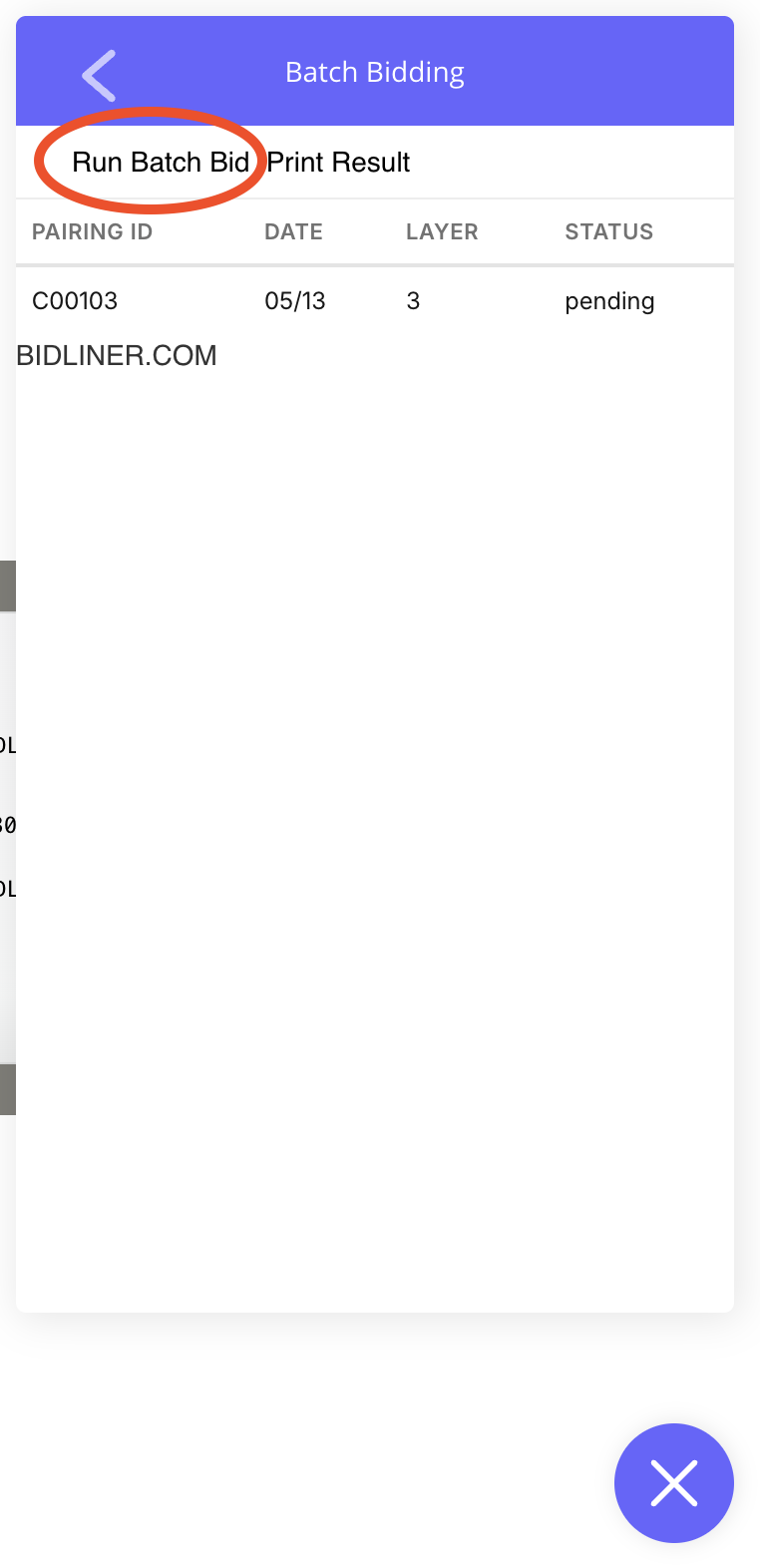
Click "Run Batch Bid" and watch it work!
Once it has completed you can also click "Print Result" if you prefer having a hard copy as well to reveiw.
Before using the Automated Batch Bid Tool, you understand the following.
By continuing, you accept responsibility for all actions performed using this tool.

