Log in to your Bidliner account to cancel your membership: Login here
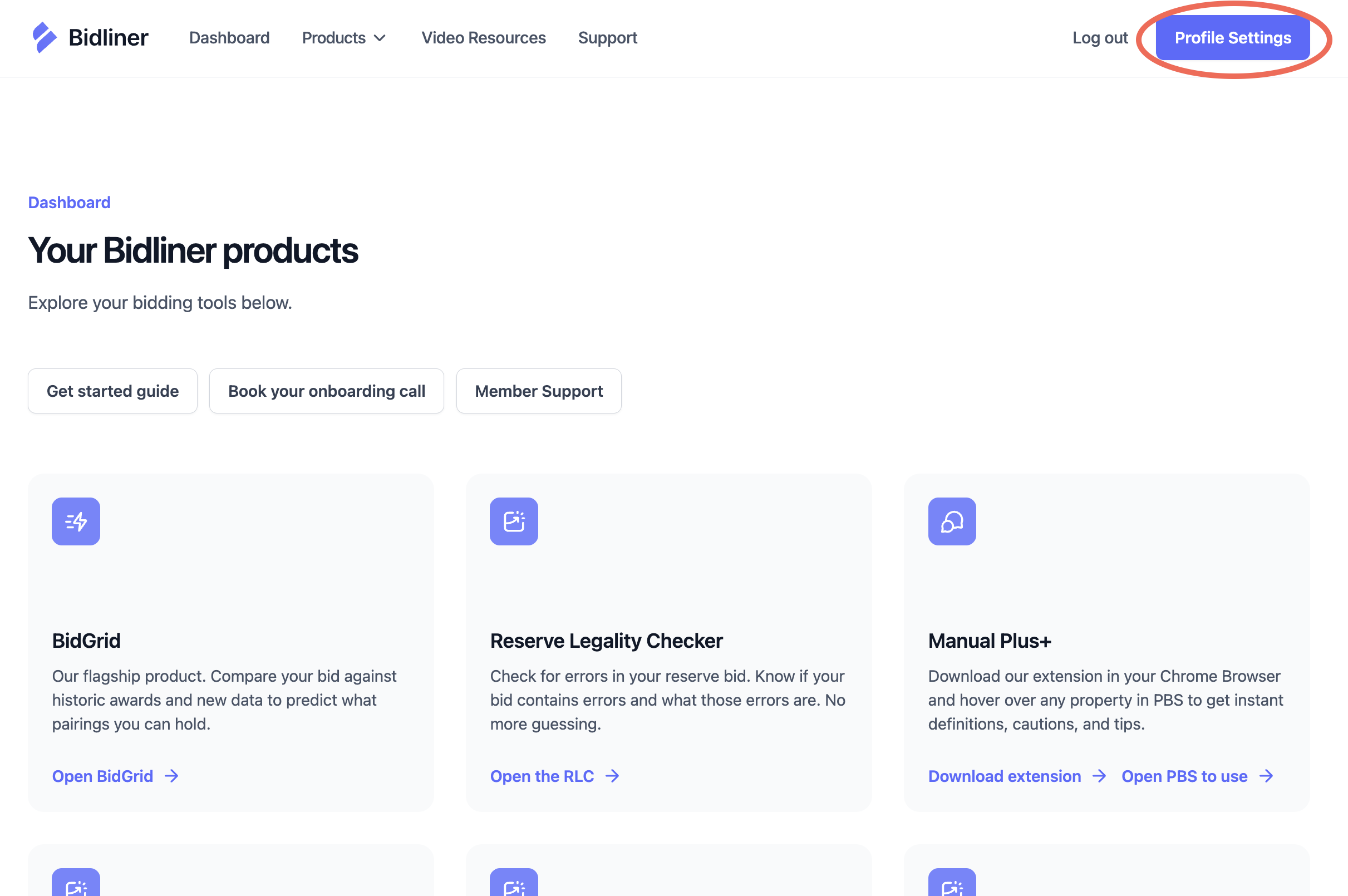
Once you are logged into your Bidliner dashboard, click on "Profile Settings" in the upper right corner to access your membership details such as your profile, plan, and billing.
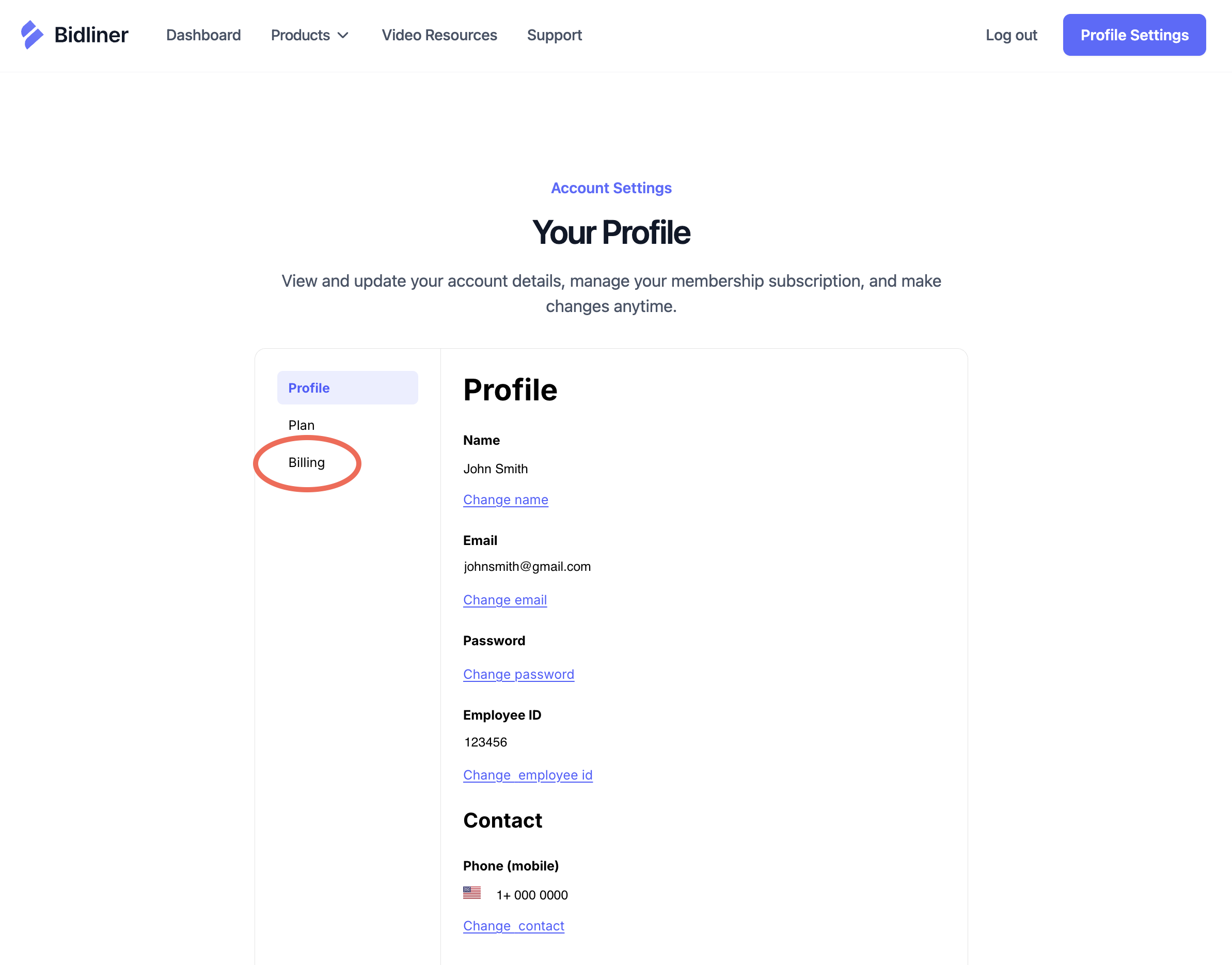
In your Profile Settings, select the Billing tab (3rd tab down) to navigate to your billing details.
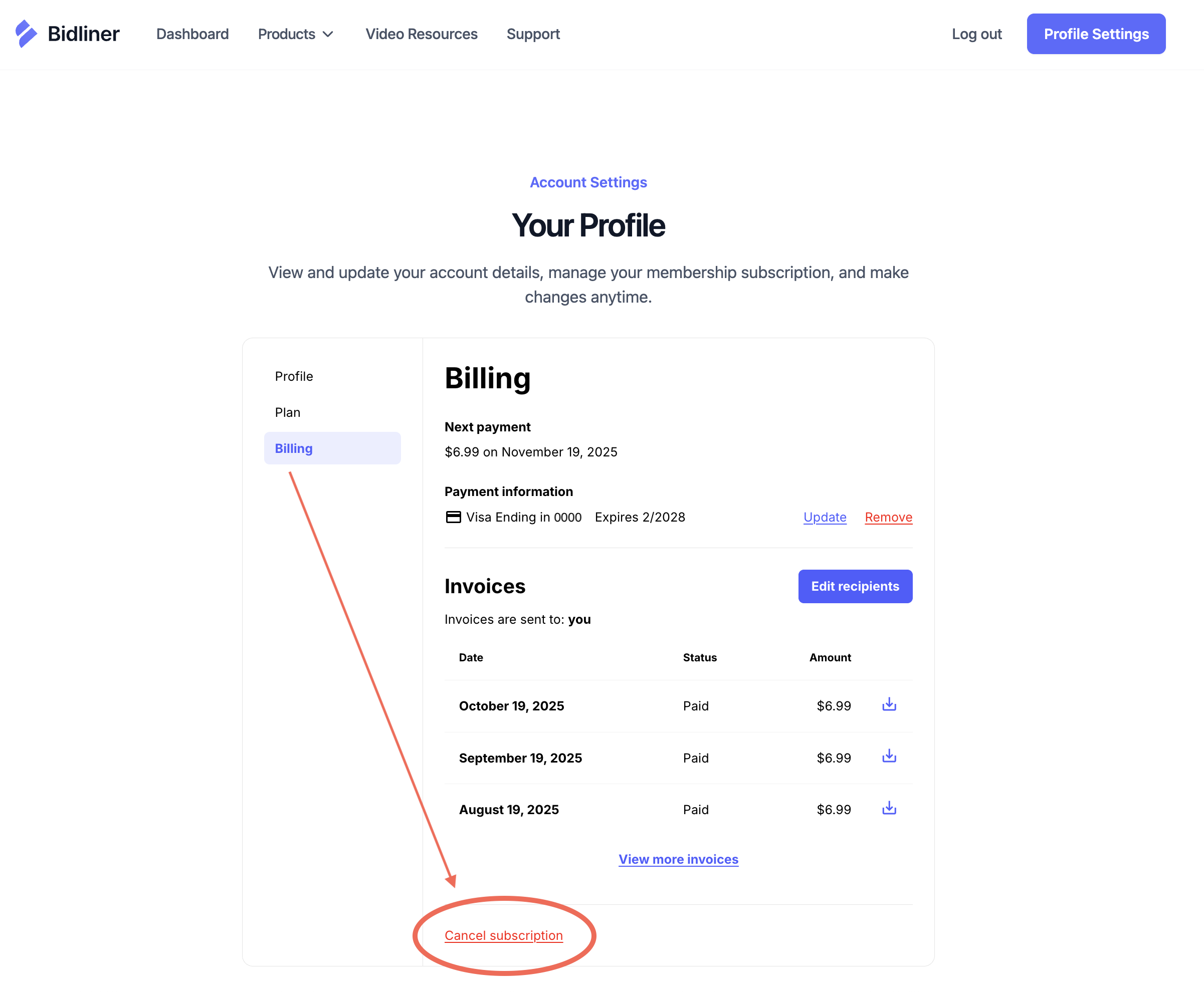
At the bottom of your billing details, you'll see a red link that says "Cancel subscription." Click that link to cancel your subscription.
We understand things change, but we're sorry to see you go. Feel free to reach out anytime if we're offering a new tool you're interested in trying again.